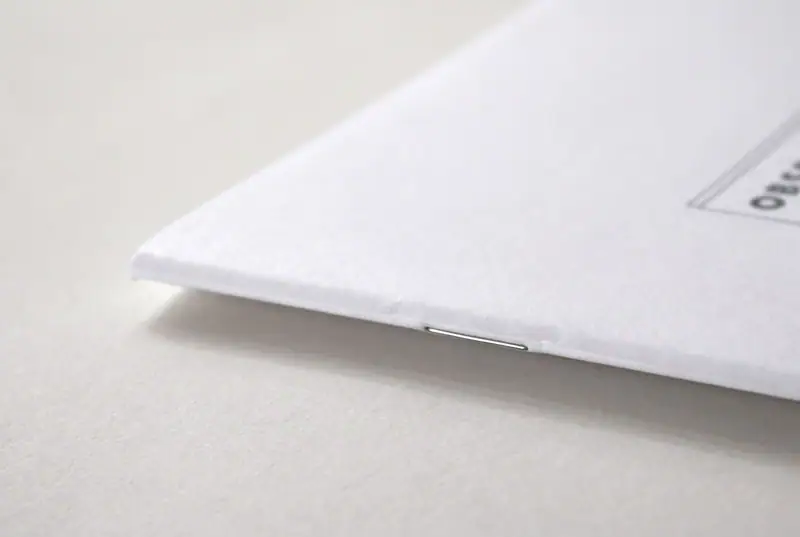
You have a program, a newsletter or a short guide in Word or as a PDF, and you want it as a small folded booklet. Then the test print comes out with page 4 next to page 1, and nothing seems to be in the right place.
Here’s the short answer.
Set your document to print as a booklet (Word calls it Book fold, and Acrobat has a Booklet option), print it double-sided on Letter paper, then fold the stack in half and staple along the fold. Keep the page count to a multiple of 4. A Letter sheet folded in half gives you a 5.5 by 8.5 inch booklet.
Would rather skip the folding? See our booklet and book printing.
What size is a booklet and how many pages do I need?
Every sheet you fold in half gives you four pages: two on the front and two on the back. That’s why a booklet’s page count always goes up in fours. Microsoft’s Publisher help says a booklet prints correctly only when the total number of pages is a multiple of four. If you have 10 pages, round up to 12 and leave two blank, or use them for notes, a contact page or the back cover.
The pages also aren’t printed in reading order. In a 4-page booklet, the front of the sheet holds pages 4 and 1, and the back holds pages 2 and 3. That shuffle is what goes wrong when you print a document normally and try to fold it. The booklet setting in Word or Acrobat does the shuffling for you.
Front: pages 4 and 1
Back: pages 2 and 3
Here’s how the numbers work on standard Letter paper (8.5 by 11 inches), folded across the long side:
| Pages | Sheets of paper | Finished size on Letter paper |
|---|---|---|
| 8 | 2 | 5.5 by 8.5 in |
| 12 | 3 | 5.5 by 8.5 in |
| 16 | 4 | 5.5 by 8.5 in |
| 20 | 5 | 5.5 by 8.5 in |
Leave a little extra room on the inside edge of each page, near the fold, so words don’t disappear into the crease. Word calls this the gutter, and its help page says to increase it to reserve space for binding.
How do I make a booklet in Word?
These steps follow Microsoft’s help page for the Word desktop app on Windows and Mac. Your menu may be named slightly differently in your version.
- Go to Layout > Margins > Custom Margins.
- Next to Multiple pages, choose Book fold. Word switches the page to landscape.
- Under Sheets per booklet (on a Mac it may say Sheets in booklet), choose how many pages go in each booklet. For a short booklet, keep it all in one.
- Increase the Gutter to leave room at the fold.
- On the Paper tab, set the paper size to Letter. The finished booklet is half the width of the sheet.
- Select OK. Word reformats your text on its own, but check your pictures and tables, which may need moving by hand.
- Add page numbers in the header or footer, so the pages are easy to check once folded.
- Print on both sides of the paper. If your printer can’t do that by itself, choose Manually Print on Both Sides, feed the sheets back in when Word asks, and flip them on the short edge so the backs don’t come out upside down. On a Mac with a printer that prints both sides, go to File > Print and choose Booklet under Two-sided.
Fold the stack in half, check the page order, then staple along the fold. A regular stapler won’t reach the middle of a Letter sheet, so you’ll need a long-reach stapler. Staples are one of four ways to bind a booklet.
How do I print a booklet from a PDF?
If your file is already a PDF, Adobe Acrobat (and the free Acrobat Reader) can do the page shuffling for you. These steps follow Adobe’s current help page.
- Open the PDF and select Print this file in the top bar.
- Pick your printer and, under Pages to Print, choose All.
- Under Page Sizing & Handling, select Booklet.
- Set Booklet subset to Both sides if your printer prints double-sided by itself. If it doesn’t, print Front side only, put the stack back in the way your printer’s instructions say, then print Back side only.
- Use Sheets from to print just sheet 1 as a test.
- Check Binding is set the way your booklet opens (left for an English booklet), then select Print.
Adobe’s last step is the same as Word’s: fold the pages in half and staple along the centre fold.
Do the one-sheet test before you print 50. Fold it, read the page numbers in order, and only then print the rest. If the order still looks wrong after two tries, you can send us the file instead: here’s how our booklet printing works.
When should I get a booklet printed instead?
Doing it yourself is fine for a handful of copies, like a draft or a one-off program. Past that, it gets slow. Office printers often jam on long double-sided runs, the inner pages push out past the cover at the open edge when the booklet gets thick, and every copy needs folding and stapling by hand.
Get it printed when:
- you need more than a few dozen copies
- the page count is high and the booklet won’t fold flat
- you want clean, trimmed edges and a tidy spine
- you’d rather have coil, Cerlox or Wire-O binding than staples
That’s the work we do at Speed-E-Copy, a family owned print shop in Scarborough since 1975. We print booklets and bind them with saddle stitch (the stapled spine you see in magazines and programs), coil, Cerlox or Wire-O. You can see the four bindings side by side on our binding and finishing page, and what we print on our booklet and book printing page. Tell us the page count, size and quantity, and the quote is free.
What to do this week
- Count your pages and round up to a multiple of 4.
- Print one test sheet and check the page order before the full run.
- If it’s more than a handful of copies, ask us for a quote.
Related
Related serviceBooklet and book printingSaddle stitch, coil, Cerlox and Wire-O, printed and bound in Scarborough.See the serviceSources
- Microsoft Support: Create a booklet or book in Word (no date on the page; checked 18 November 2026)
- Adobe: Print booklets in Acrobat (last updated 23 September 2025; checked 18 November 2026)
- Microsoft Support: Set up and print a letter-sized booklet or newsletter (Publisher help, source for the multiple-of-four rule and the page order; checked 18 November 2026)